A protected backup file
A backup is one encrypted file with everything in the vault. You save it where you choose, and only your recovery key opens it.
 iPhone and iPad
 Android
- Mac
 Windows
Back up my vault writes one protected file with your files, logins, folders and their order. JayLocked sends it nowhere: the system asks where the file goes, and that can be a cloud drive of yours, a USB drive or another computer.
Before the first backup JayLocked shows a key under Your recovery key: 5 groups of 4 characters, to be written down. You may choose Use my own password instead and type one of at least 12 characters that is hard to guess. Save keeps either one, after your vault passcode.
The backup opens only with that key or password. Without it nothing in the file can be read, not even names, counts or dates, and nobody can open it, Narikia included.
- JayLocked says what your last backup holds and how many items you have added since.
- Each item says In your last backup or Not in a backup yet, and the filter Not backed up yet shows what the last backup lacks.
- A backup saved on the same device is named as such, with the advice to keep a copy somewhere else too.
- Backup and export is reached from Settings and from the button Back up on the backup status card.
- Make a new recovery key on the same screen makes a new recovery key after your vault passcode, for a key that is lost or that someone else has seen. The old key then stops opening the vault, and backups made with it still open with it alone.
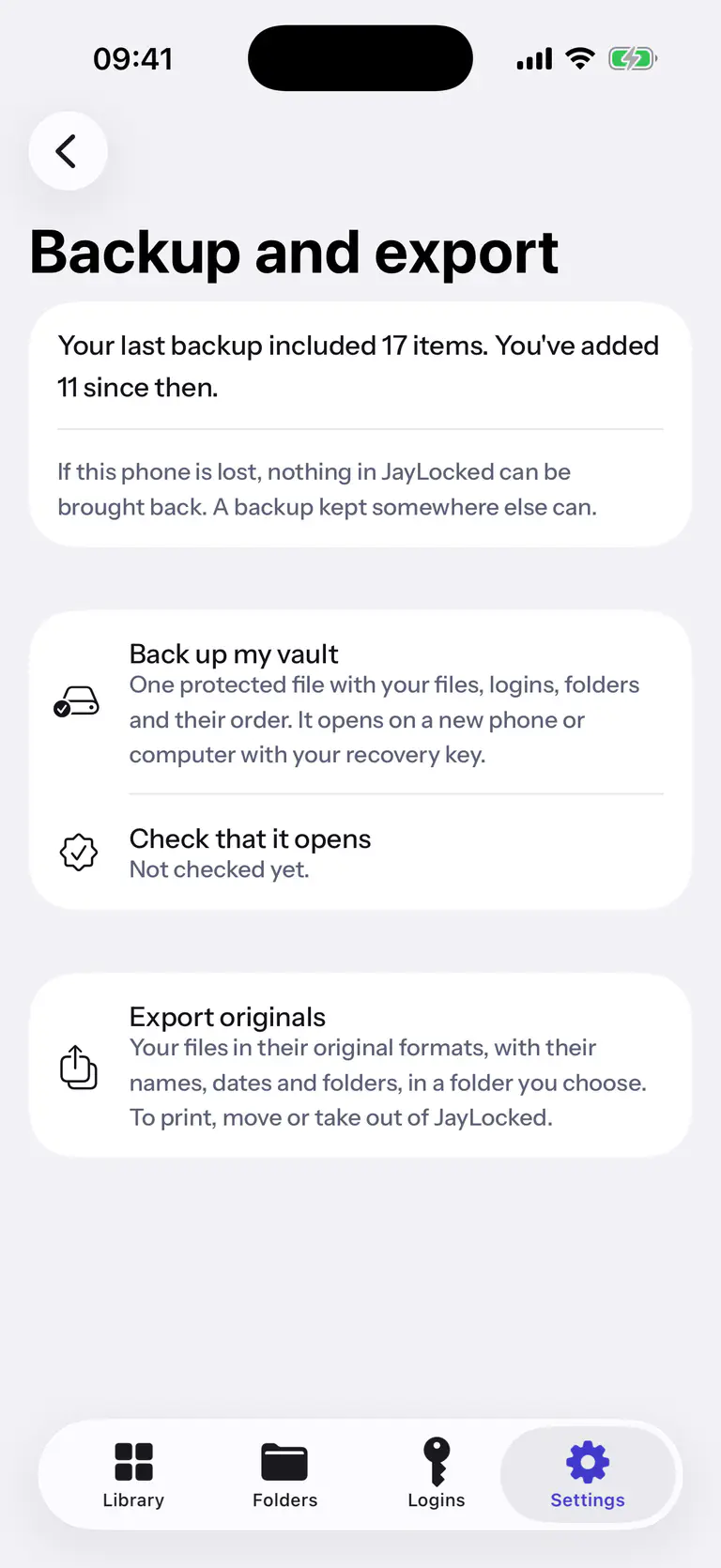
 iPhone
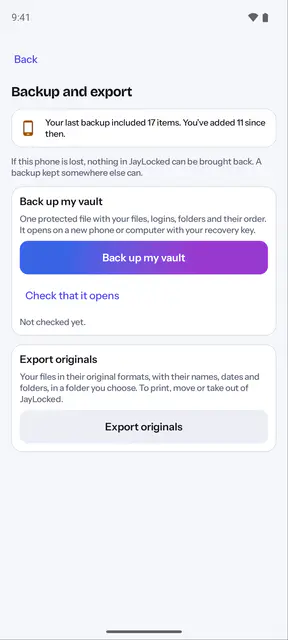
 Android
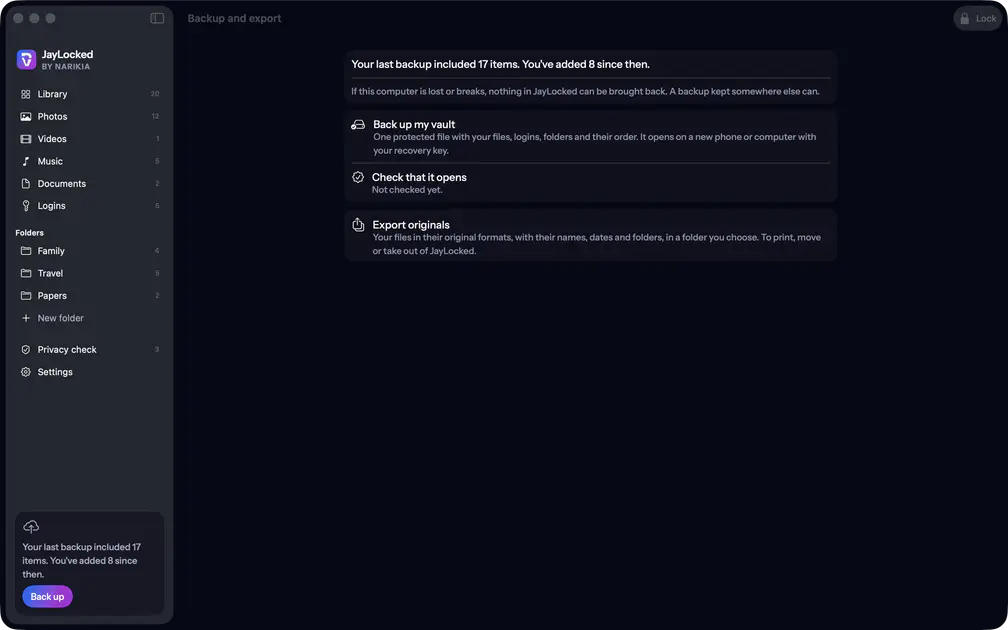 Mac
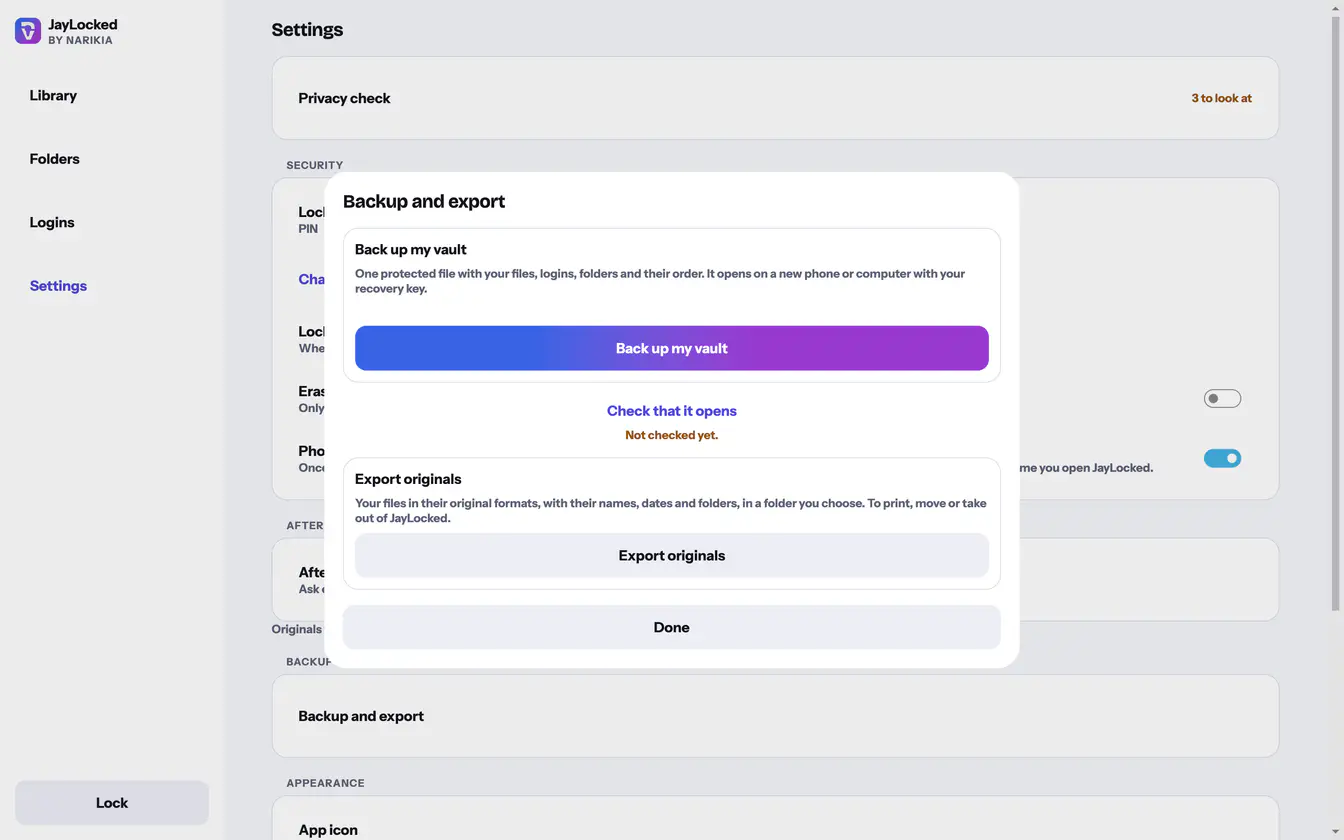 Windows


What differs from system to system
- iPhone and iPad
- The system's Files sheet takes the file: iCloud Drive, another cloud app, a connected drive or the device itself. Saved on the device itself, the backup counts as being on the same phone.
- Android
- Android's save dialog takes the file. Saved to the phone's own storage or to Downloads it counts as being on this phone, and anything else counts as kept elsewhere.
- Mac
- The Mac's save panel takes the file. A drive that can be unplugged, a network volume, iCloud Drive and the folders of other cloud services count as kept elsewhere, and the Mac's own disk does not.
- Windows
- The Windows save dialog takes the file. A removable or network drive, a OneDrive folder and the folders of some other cloud services count as kept elsewhere, and any other place counts as this computer.
Where it ends
- A saved recovery key is not shown again, so keep it somewhere safe.
- JayLocked has no cloud of its own and no sync. A backup holds what was in the vault when you made it.
- A backup that is running stops when the vault locks. Started again, it is made anew.
How to
- Make a backup Save everything in JayLocked as one protected file that you keep where you choose, away from this device.
- Check that a backup opens Open a backup once with your recovery key to see that it can be read. JayLocked reads every item and changes nothing.
- Make a new recovery key Replace your recovery key when it is lost or someone else has seen it. You need your vault passcode.