Music player
Music plays inside the vault in JayLocked's own player, with shuffle, repeat, speed and a list of what is next. It stops when the vault locks.
On
 iPhone and iPad
 Android
- Mac
 Windows
A piece of music plays in JayLocked itself. Nothing is handed to another app, and the file is decrypted in memory piece by piece while it plays.
The music screen shows the picture the file carries, its title and the artist, album or folder, with a seek bar and the buttons Shuffle, previous, play or pause, next and Repeat. The music that was in view when you started is the list it plays through.
Closing the screen leaves a small player in the app, with play or pause, next and a button that stops. It stays while you look at other things in the vault.
- Repeat goes from off to the whole list to Repeat this one.
- Speed goes from half speed to double.
- Up next lists the music in the order it plays, and choosing a piece there plays it.
- A piece that was stopped carries on there next time, once at least 30 seconds were played and more than 30 seconds remain.
- The picture inside a music file is read when the file comes in and kept as its preview.
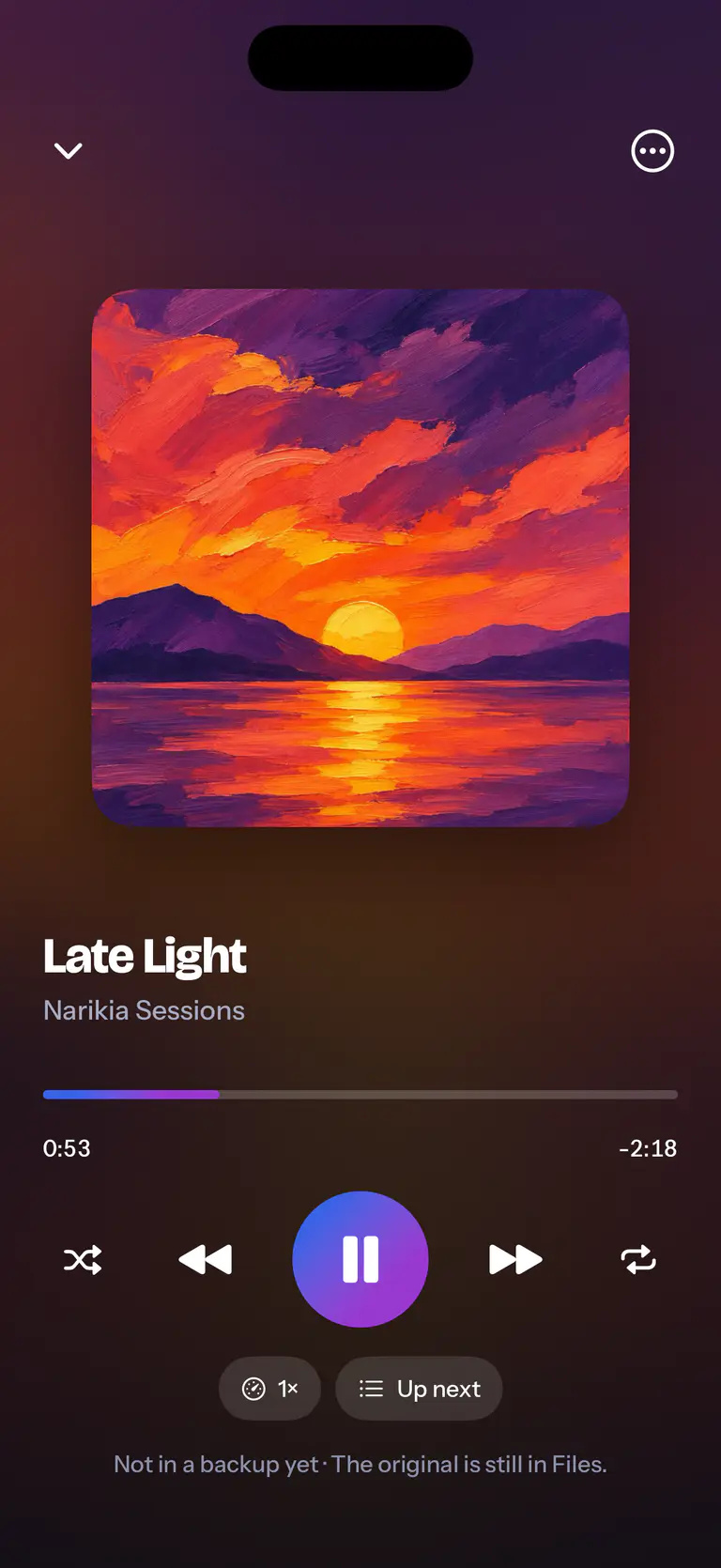
 iPhone
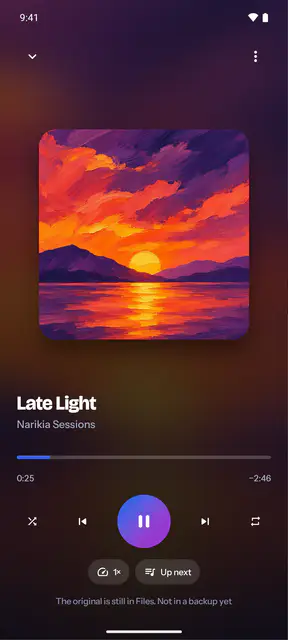
 Android
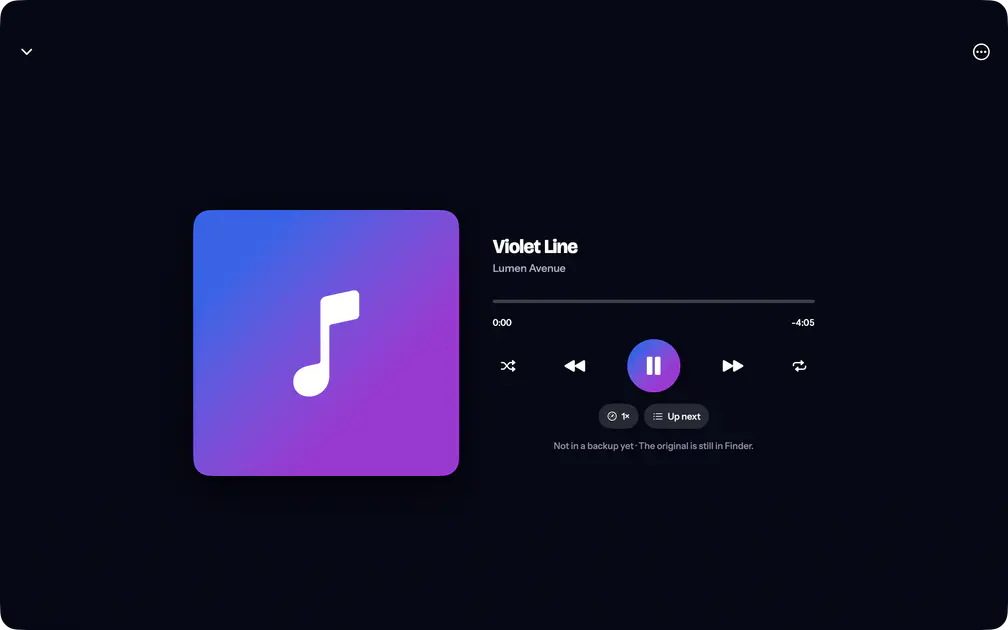 Mac
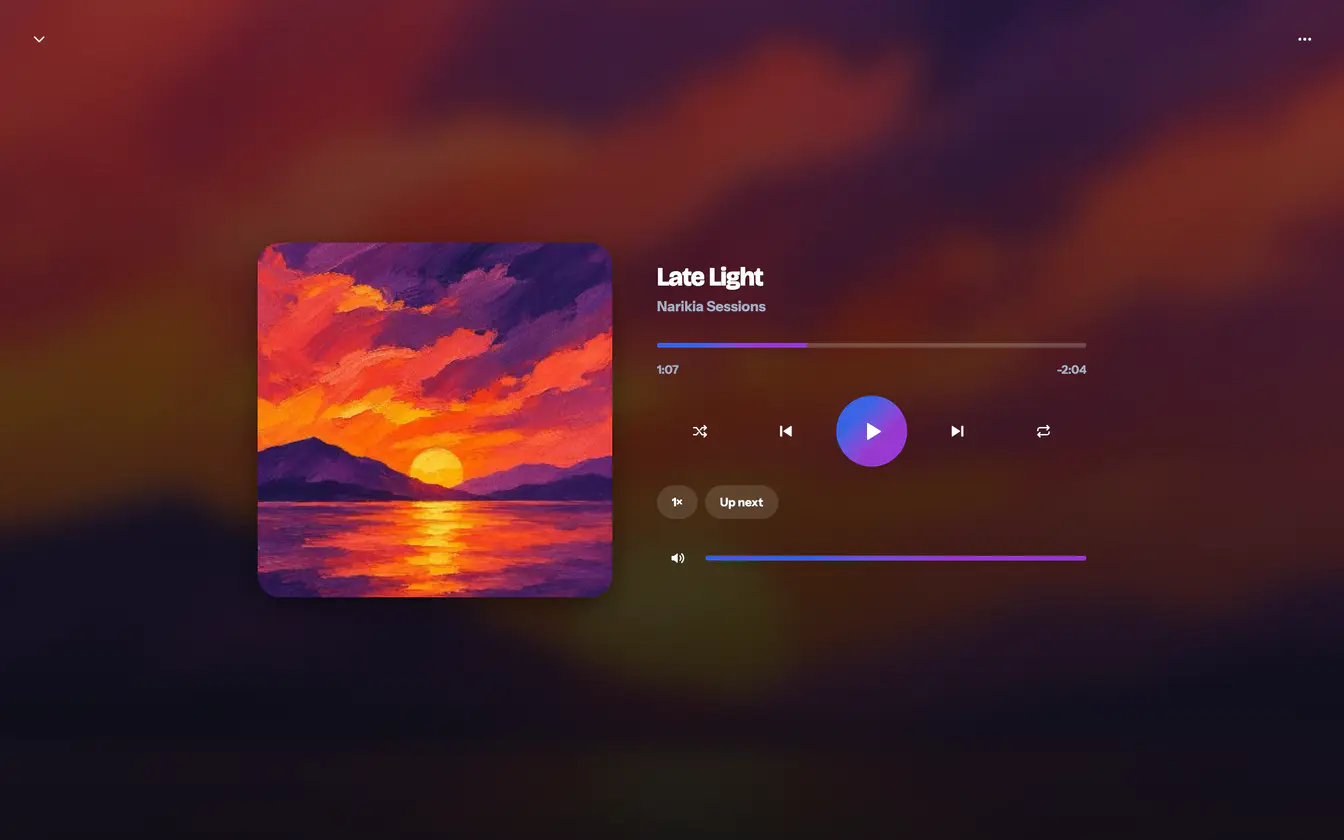 Windows


What differs from system to system
- iPhone and iPad
- Leaving JayLocked pauses the music, and coming back does not start it again by itself. Music plays with the ring switch off.
- Android
- A call or another player pauses the music, and so does pulling out headphones. A piece carries on where it stopped without a note saying so.
- Mac
- A double click plays a piece, Space pauses it and the arrow keys skip 10 seconds. While the vault stays open, music plays on behind other windows.
- Windows
- The music screen adds Mute and a Volume bar, and the keyboard plays, pauses, skips, changes the volume and mutes. With a lock time of one or five minutes, music goes on behind other windows until that time is up.
Where it ends
- The system is told nothing about what plays: no title on the lock screen, no notification, no media keys, no AirPlay and no casting. So there are no controls outside JayLocked either.
- Playing stops when the vault locks, and the place is remembered. With the lock set to the moment you leave, music does not go on while you use another app.