App icons
JayLocked can show one of several plain icons on the home screen or in the Start menu. None of them pretends to be another app.
On
 iPhone and iPad
 Android
- MacNo
 Windows
App icon under Appearance in Settings offers 18 looks in two groups. Those under With the JayLocked mark carry the JayLocked mark. Those under Alternates are everyday pictures: Album, Archive, Memo, Cards and Studio, each in a light and a dark version.
The everyday pictures draw no attention and still relate to what JayLocked holds. None of them imitates another app.
- Classic is the look JayLocked starts with.
- On Android and Windows an everyday look changes the app's name too, to Album, Archive, Memo, Cards or Studio in your language. Looks with the mark keep the name JayLocked.
- One tap or click on a look applies it.
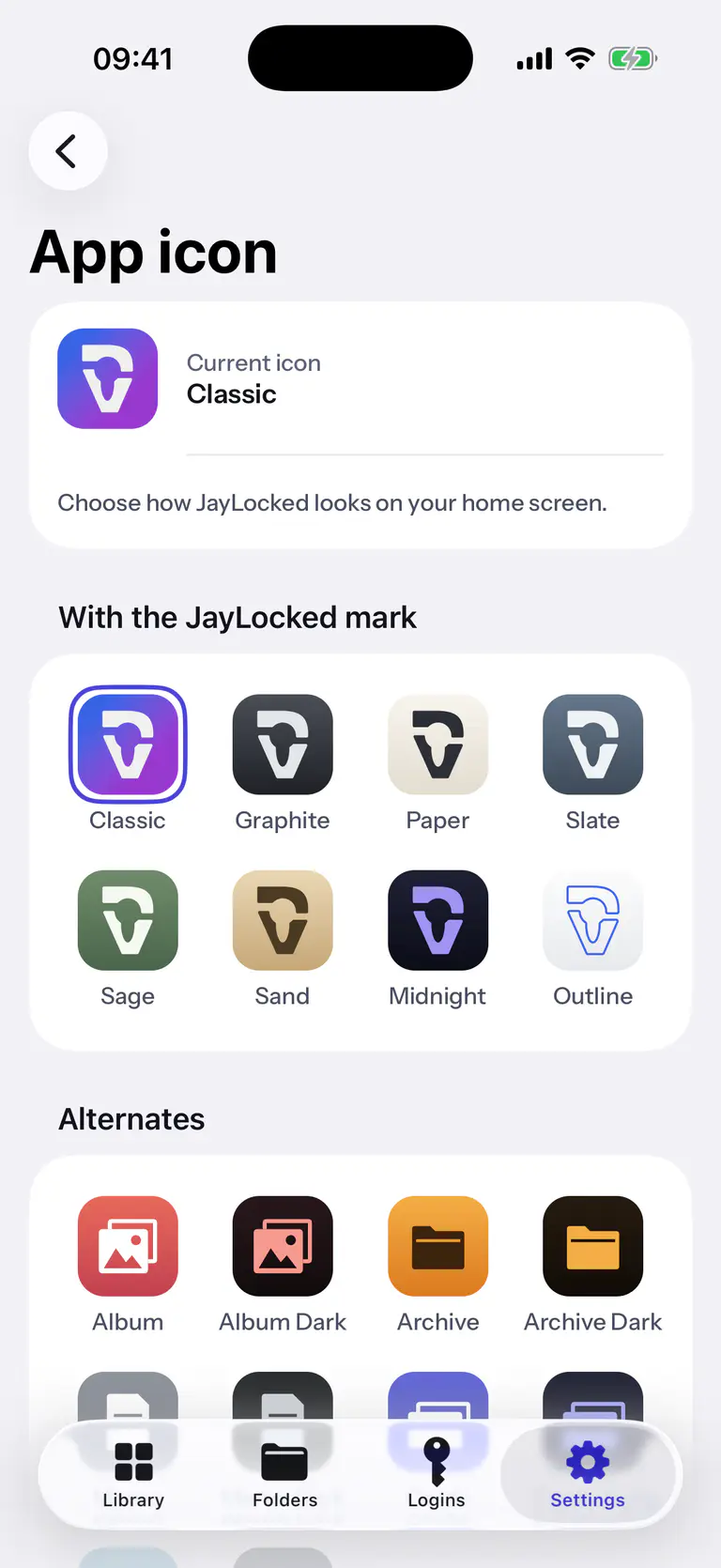
 iPhone
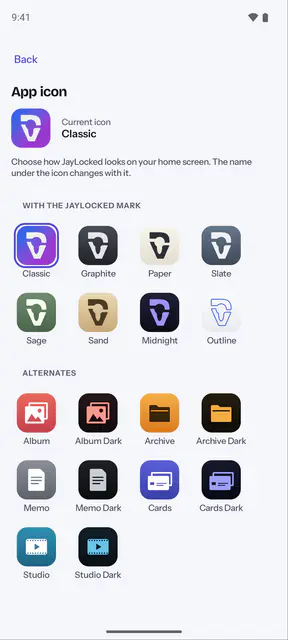
 Android


What differs from system to system
- iPhone and iPad
- iOS confirms the change with a message of its own, and the name under the icon stays JayLocked. For another name there is the guide Another name on the Home Screen, which uses Apple's Shortcuts app.
- Android
- The icon on the home screen changes at once, and with an everyday look the name under it changes too. How soon a launcher shows the change depends on the launcher.
- Mac
- The Mac app has one icon and no choice of looks.
- Windows
- The JayLocked window takes the look's icon and name, and so does the Start menu shortcut when JayLocked was installed. A shortcut on the desktop is not renamed.
Where it ends
- A plain icon draws less attention. It hides nothing, and JayLocked never promises that an app becomes invisible.
- On iPhone and iPad the name under the icon stays JayLocked.
- The Mac app has one icon, since a Mac app cannot change its own.