Alerts after wrong tries
The next time you open the vault, JayLocked says how many wrong tries there were and when, and can show a photo of whoever tried.
On
 iPhone and iPad
 Android
- Mac
 WindowsIn part
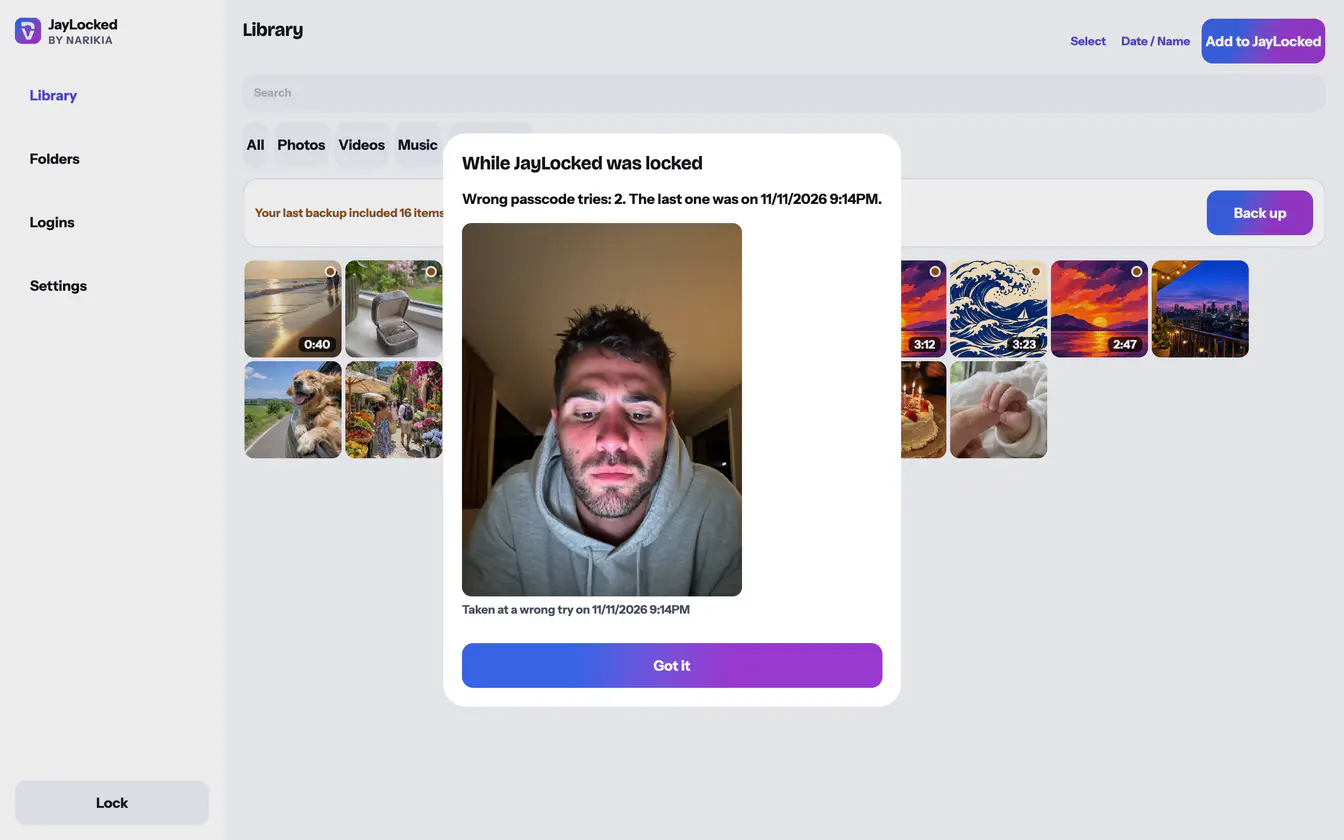
What happened while the vault was locked is kept for you. When you next open it, a screen titled While JayLocked was locked comes before anything else and stays until you choose Got it. It says how many wrong passcodes were entered and when the last one was.
With Photo of wrong tries turned on in Settings, the camera takes a picture of whoever is trying once a wrong passcode has been entered 2 times in a row, and again at every wrong try after that. The picture is made smaller, encrypted at once and shown to you on that screen only. It never reaches the photo library.
- Three more things are reported the same way: a face or fingerprint added to the device, the vault opened with the recovery key, and JayLocked's alert files changed from outside the app.
- The person trying cannot read or remove an alert from inside JayLocked. Each one is sealed to a key that only the open vault holds.
- A wrong recovery key is recorded as a wrong try too.
- Got it closes the screen and removes the alerts and their photos. JayLocked keeps 50 alerts at most.
- Photo of wrong tries is off until you turn it on, and turning it off asks for the vault passcode.
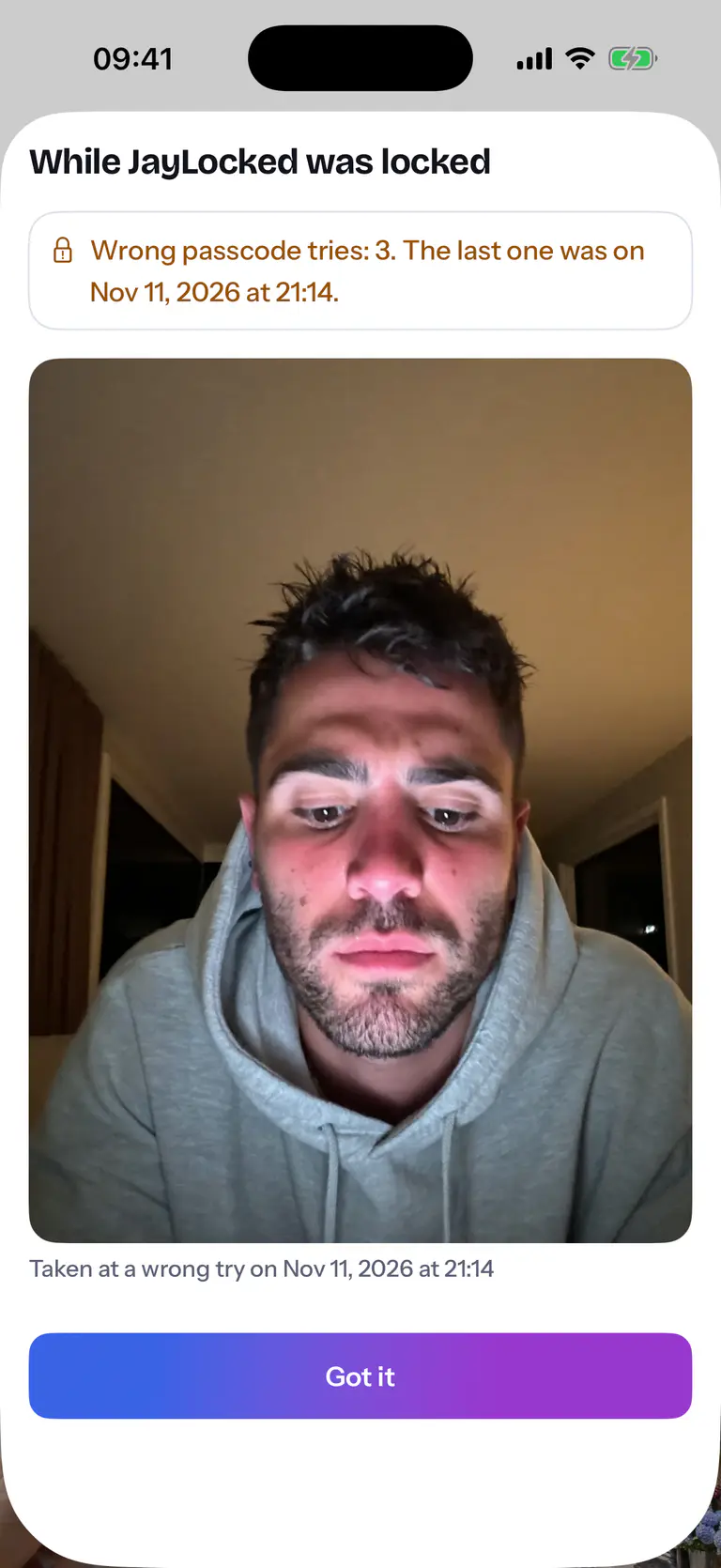
 iPhone
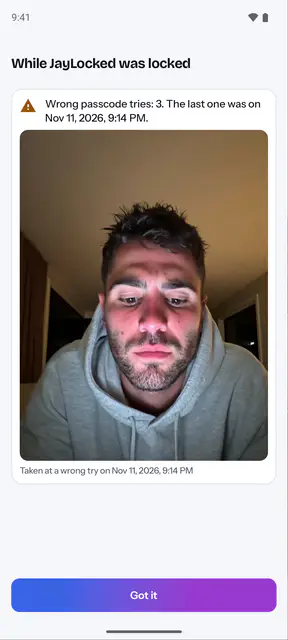
 Android
 Windows


What differs from system to system
- iPhone and iPad
- The front camera takes the photo, and iOS asks for the camera when you turn the option on.
- Android
- The front camera takes the photo, and Android asks for the camera permission when you turn the option on. A wrong recovery key takes no photo.
- Mac
- The Mac's own camera takes the photo, and macOS asks for the camera when you turn the option on. It is the Mac app's only use of the camera.
- Windows
- Windows shows three of the four kinds of alert: there is none about an added face or fingerprint, since Windows has no such opening. Windows asks no camera question of a desktop program, and a wrong recovery key is photographed too.
Where it ends
- Nothing is sent to you while you are away, since JayLocked never connects to the internet. You learn of a try when you next open the vault.
- A camera that does not answer in time gives no photo, and the alert is kept without one.
- Someone who can write JayLocked's files from outside the app, on a modified phone or with another program on a computer, could delete an alert or add one. They cannot read one, and JayLocked tells you when its alert files or their key were changed or replaced.