Privacy check
One screen lists what is still exposed and what would be lost with this device: originals outside the vault, missing backups, weak passwords.
On
 iPhone and iPad
 Android
- Mac
 Windows
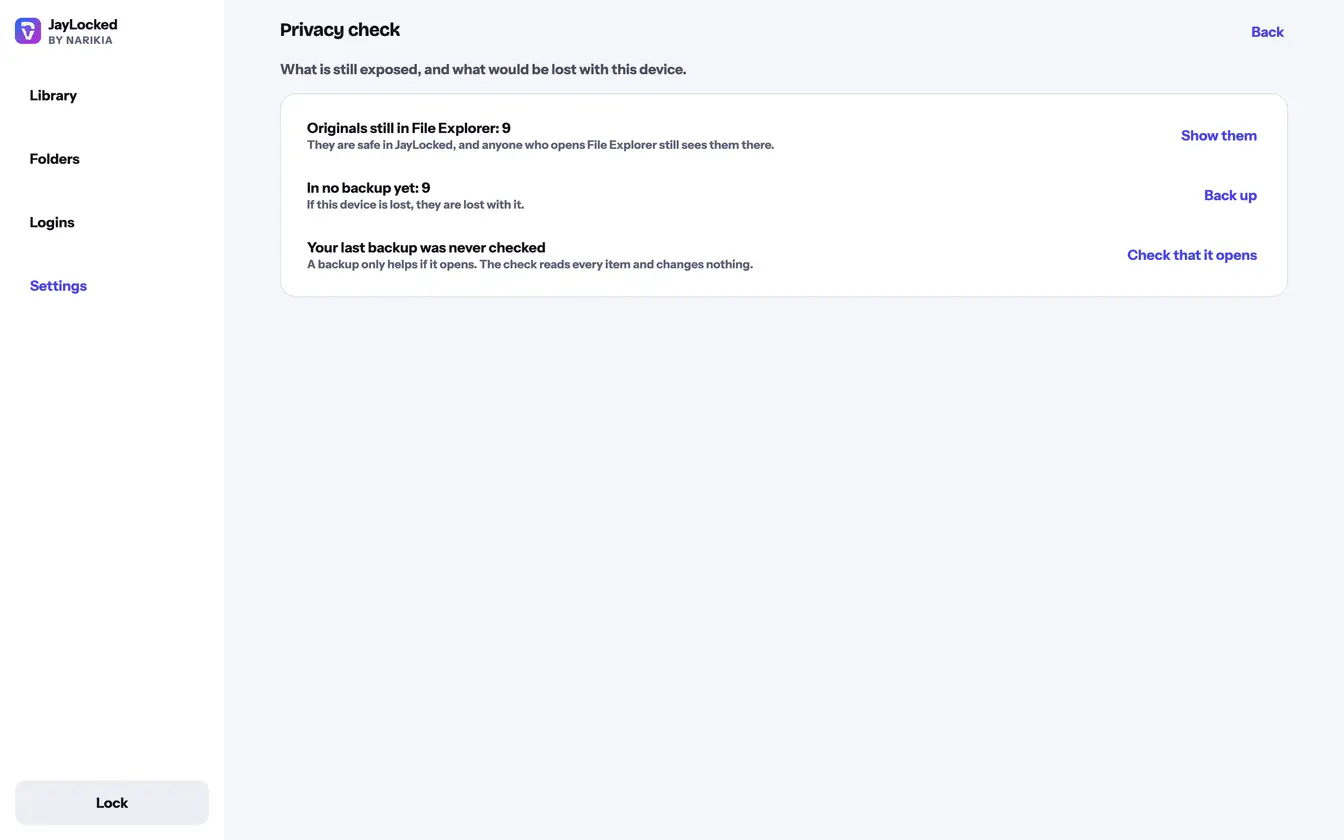
Privacy check is the first entry of Settings. It lists only what applies to your vault right now, and each line has the one button that deals with it. When nothing applies, it says that nothing needs your attention.
The check looks at two things: what someone could still see outside the vault, and what would be lost if this device were gone.
- Originals that are still outside the vault, counted place by place, with Show them leading to exactly those items.
- No backup yet, items that no backup holds, or a last backup that lies on this same device, each with Back up.
- A last backup that was never checked, or was last checked more than 90 days ago, with Check that it opens.
- No recovery key yet, with Make a recovery key.
- Logins with a password that is easy to guess or shared with another login, and a vault set to stay open for a while after you leave it.
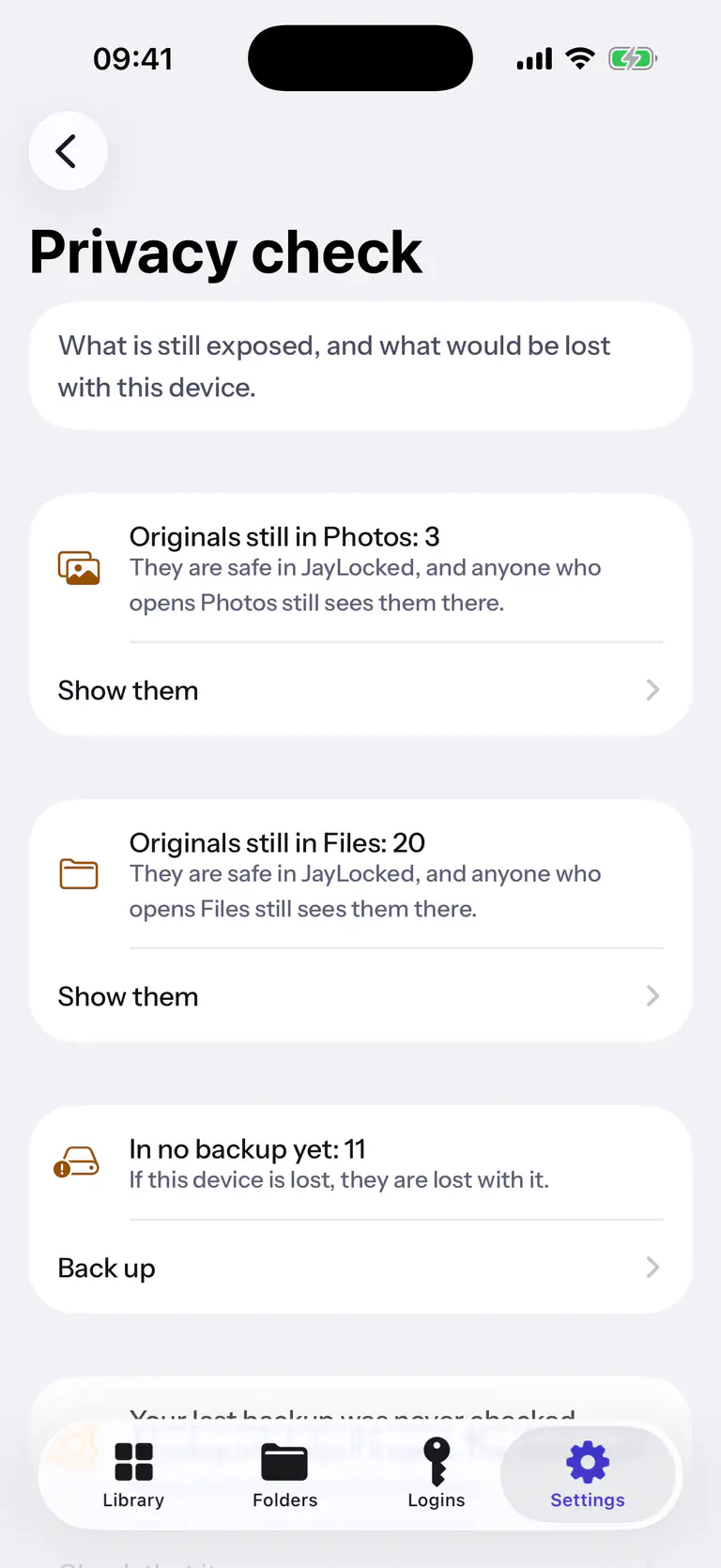
 iPhone
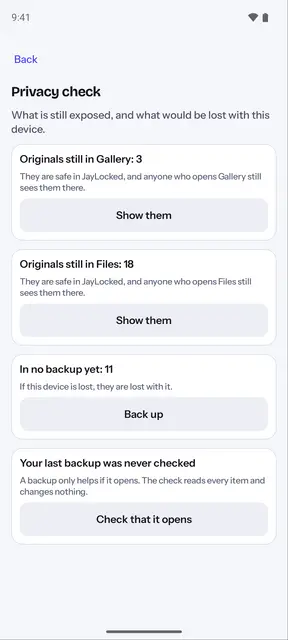
 Android
 Windows


What differs from system to system
- iPhone and iPad
- On a phone whose system was modified, the check adds a line that says so.
- Android
- On a phone whose system was modified, the check adds a line that says so.
- Mac
- On the Mac the check is an entry of the sidebar, with the number of things to look at beside it, and it is in the File menu too. It has no line about a modified system.
- Windows
- On Windows the check opens as a page of its own from Settings. It has no line for a photo library and none about a modified system.
Where it ends
- The check reports and leads you to the place. It changes nothing by itself.
- Every line is about this vault: its originals, its backups, its recovery key, its logins and its lock.